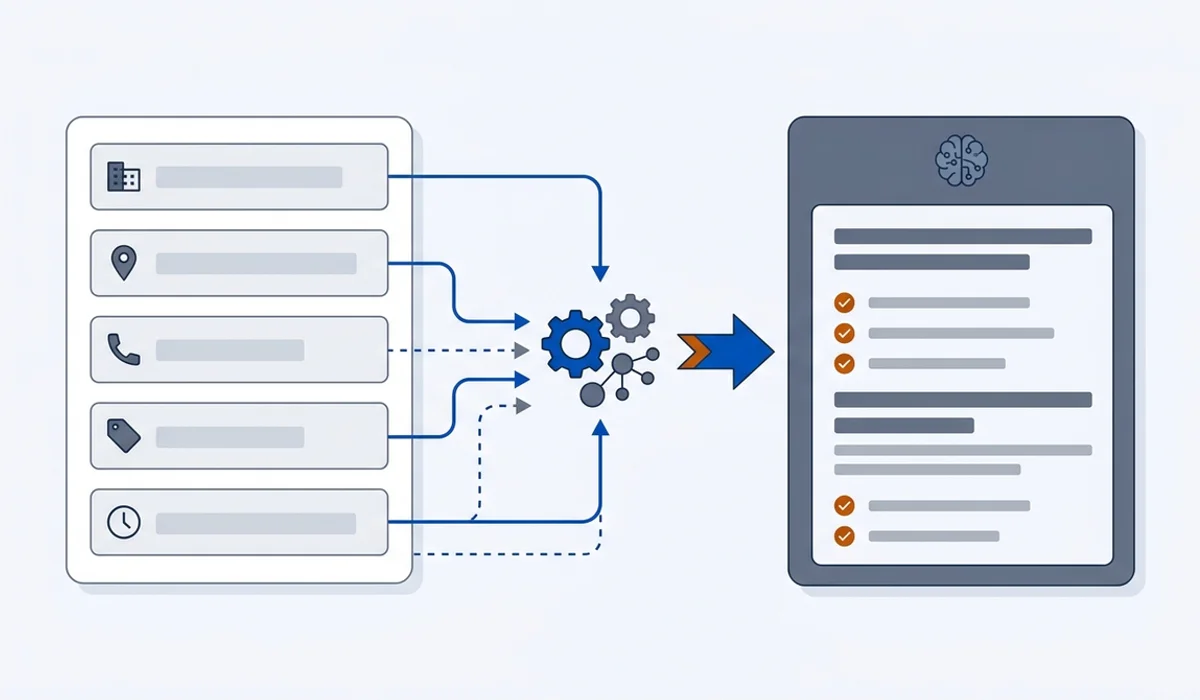
Your profile is the record engines read first
Lesson 1 ended with a simple idea: an AI answer is assembled from retrieved documents. For a local question, the densest of those documents is your Google Business Profile. It is structured, it is verified, it is updated by the owner, and it answers the exact questions customers ask. Engines treat it accordingly.
That is good news, because it is the one asset where you can reach an end state. A website is never finished. A profile can be complete by this evening.
The fields that carry weight
Work through these in order. Everything above the line changes what an assistant can say about you. Everything below it is housekeeping.
Business name. Your real trading name, exactly as it appears on your signage, invoices and website. Not your name with three keywords bolted on. Keyword stuffing here is against the guidelines and creates a mismatch with every other record, which is the specific problem this lesson exists to prevent.
Address or service area. If customers come to you, the address must be precise and formatted the same way everywhere. If you travel to customers, hide the address and set service areas. The guide on service-area businesses with no public address covers the edge cases, including why a virtual office address is a bad idea.
Phone number. One primary number, in a consistent format, matching your website and every listing. A tracking number that differs from your public number is the single most common source of a contradictory footprint.
Primary category. The highest-consequence field on the whole profile. It tells Google and, downstream, the assistants what kind of business you are. Choosing “contractor” when you are a “commercial refrigeration contractor” costs you relevance on every query that matters. The guide on picking your primary category covers how to research what ranking competitors use.
Hours. Including special hours for holidays. Wrong hours damage trust faster than almost anything else on this list, because a customer drives over and finds you closed.
Website URL. Point it at the page that answers the question the profile implies, not always the homepage. A profile for emergency refrigeration repair should link to that service page.
Services. List the services you actually offer, named the way customers name them. This is one of the few free text areas an engine can read as a structured list.
Below the line: photos, attributes and posts. Worth doing, worth keeping reasonable, not worth reorganising your week around. The guide on how often to update your profile separates what genuinely matters from busywork.
Categories, chosen properly
Primary category is a positioning decision, not a taxonomy exercise. Pick the most specific category that genuinely describes the majority of your revenue. Then add secondary categories only where you would accept a booking tomorrow.
Two failure modes are common. The first is picking a category that is too broad, which puts you in competition with businesses that do something adjacent and better known. The second is adding every plausible secondary category, which tells the Local Pack and the assistants that you do a bit of everything, and specificity is what earns a recommendation.
If your current primary category is wrong, change it. A correction to a more accurate category usually helps. Churning between categories every few months does not.
The consistency requirement
Here is the part most owners underestimate. Your business details do not only live on your profile. They live on directory sites, review platforms, chamber listings, supplier pages, old bookings systems and in the databases of data aggregators such as Data Axle, Neustar Localeze and Foursquare. Many smaller directories refresh from those aggregators, which is why a single stale record can reappear after you have fixed it in ten places.
NAP consistency, meaning name, address and phone stated identically everywhere, is the term for getting this right. It sounds trivial. It is the difference between an assistant stating your hours confidently and an assistant hedging because two sources disagree. The guide on NAP consistency includes a worksheet for the audit pass.
Run this once, properly:
- Search your business name, your phone number and your old phone number if you have one.
- List every place your details appear, with a column for name, address and phone.
- Mark every mismatch, including formatting differences such as suite numbers and abbreviations.
- Fix the aggregators first, then the directories that actually send you traffic.
- Stop. Chasing hundreds of low-quality directories has no payoff, and Lesson 6 explains why.
While you are here, claim the other two profiles that feed assistants. The comparison of Google, Apple and Bing business profiles gives a claiming order for an owner with limited time.
Maintenance without the hamster wheel
A profile decays. Hours change, a service gets dropped, a number gets ported, a photo stops representing the premises. The answer is a short recurring review rather than daily posting.
Once a month, take twenty minutes: check hours against the next month’s calendar, confirm the phone number connects, reply to any unanswered reviews, and re-read the services list. Twice a year, redo the listing audit in full. Around holidays and any business change, update special hours at least two weeks ahead.
| Cadence | Task | Done when |
|---|---|---|
| Monthly, 20 min | Hours, phone, unanswered reviews, services list | Each field matches reality for the month ahead |
| Twice yearly, 2 hrs | Full listing audit across profile, site and directories | Every source carries the same name, address and phone |
| On change, 15 min | Special hours, dropped services, a ported number | Updated at least two weeks before it takes effect |
That is the whole maintenance job. Lesson 6 covers reviews in depth, because they deserve their own treatment.
What to do next
Finish the completeness pass and the listing audit before moving on. A clean profile is the foundation the rest of the course assumes, and skipping it means Lessons 3 and 4 improve a footprint that still contradicts itself.
When your facts agree everywhere, move to Lesson 3, which turns to your website and the specific page shapes an assistant is willing to quote.